Alpha release · Mac

Stop sending project files back and forth.

Mixa keeps one shared copy of your project in sync, so you and your collaborators always open the latest version.

Download for Mac
Free during the alpha · macOS
FL StudioLogic ProAbleton Live
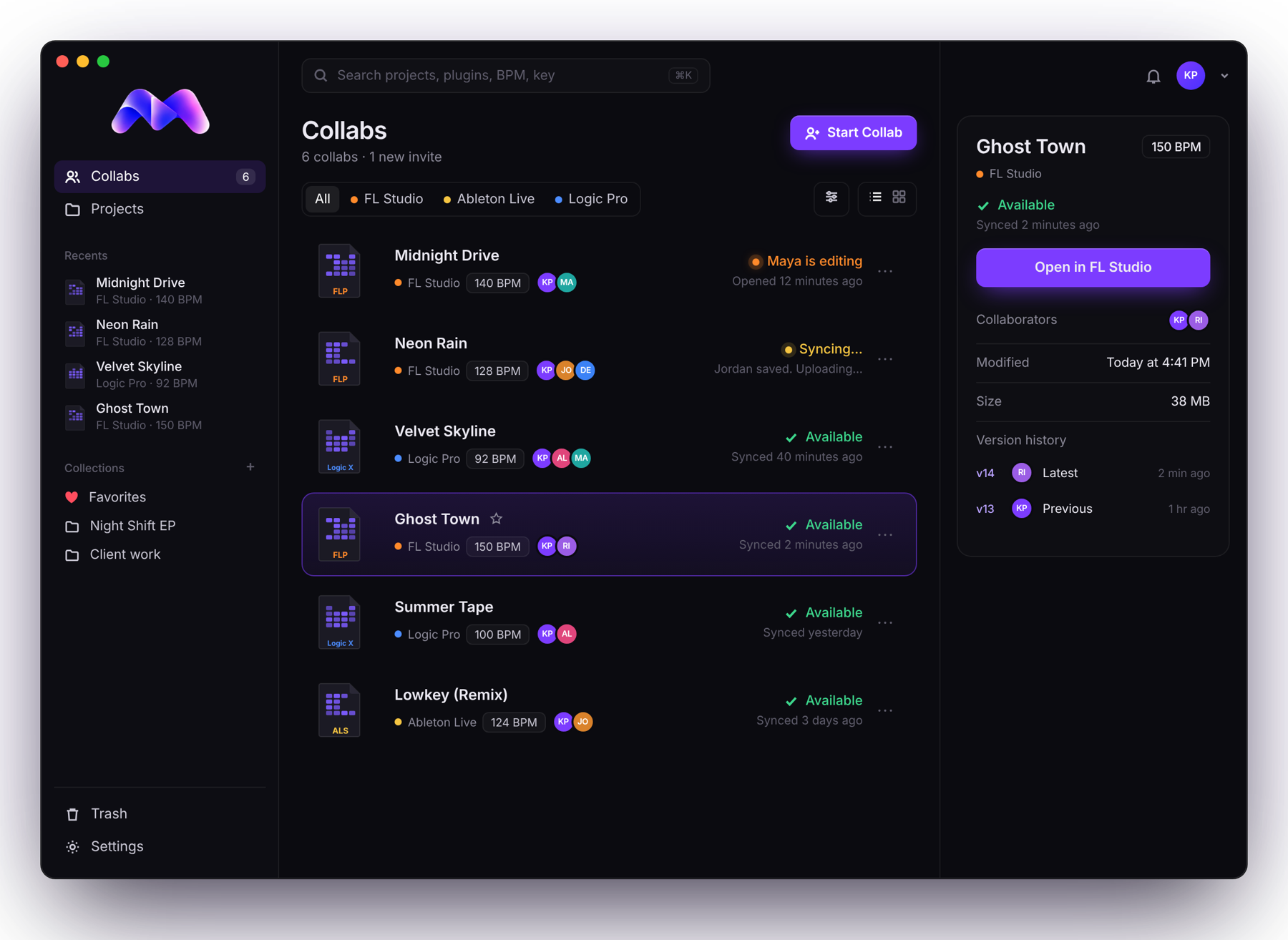
Mixa showing six collabs: one being edited by Maya, one syncing, the rest available

Before / after

Seven steps, every time someone touches the beat.

The old way

Save→Zip→Upload→Send→Download→Unzip→Repeat
night_drive_final.flp
night_drive_final_v2_mike.zip
night_drive_FINAL_real.zip
night_drive_FINAL_real (1).zip

Which one is the latest?

With Mixa

Open→Work→Save→Done
Mike is editingyou wait, nothing gets overwritten
Syncing…Mike saved
Availableyour turn

It says Available. That's the latest.

How it works

Open. Work. Save. Done.

No new way of working. You stay in your own DAW the whole time.

1

Open

Open the project from Mixa. Everyone else sees you're editing.

2

Work

Make music the way you always do.

3

Save

Hit Save like always. Mixa syncs it.

4

Done

Click Finish Editing. It says Available, and your collaborator opens your latest version.

Built for sessions

One editor at a time. No overwrites.

Nobody saves over your work

While you're in a project, it's yours. Everyone else sees your name on it and waits for Available.

Always the latest version

No more guessing between "final" and "final_real". When it says Available, you're opening the newest save.

FAQ

Straight answers.

Does Mixa convert between DAWs?

No. An FL Studio project stays an FL Studio project. Everyone in a collab uses the same DAW.

Where do my projects live?

On your computer. Only the projects you're collaborating on sync through Mixa Cloud.

How big can a project be?

Up to 5 GB.

Is there a Windows version?

Mac only for now.

Is Mixa finished?

Not yet. Mixa is in alpha, so expect rough edges. Use a copy of any project you can't afford to lose.

What does it cost?

Nothing during the alpha.

Your next session, minus the zip files.

Download for Mac